E-signature features for sending, signing and proving documents
Every PenMarker e-signature feature, from placing the first field to proving a document years later.
Updated
Prepare
Which e-signature features help you prepare a document?
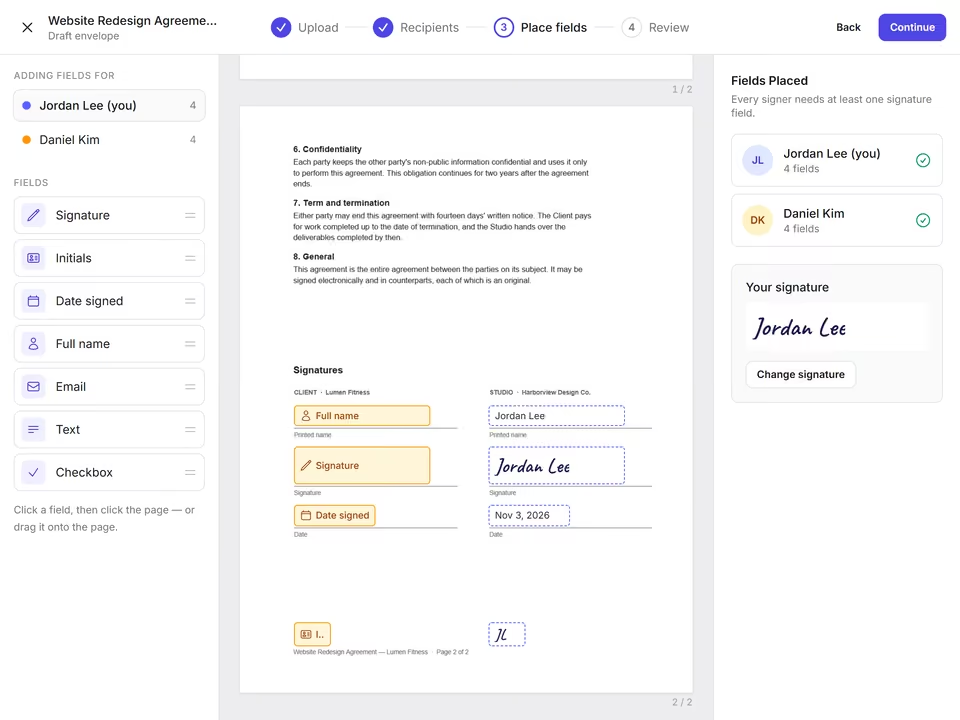
Upload a PDF, place the fields, choose who signs and in what order.
Upload any PDF
PDFs of up to 25 MB. Or try PenMarker first with the built-in sample NDA.
Seven field types
Signature, initials, date, name, email, text and checkbox, each assigned to a recipient and marked required or optional.
Signing order
Let everyone sign at once, or set an order so each signer is asked only after the one before has signed.
Templates with roles
Save a document and its fields as a template with roles like "Client", then pick the people each time you use it.
Contacts
Keep signers in contacts, grouped as clients, vendors or team, with favorites and CSV import.
Vaults
Separate business and personal vaults, each with its own documents, templates, contacts and members.
Sign
How does signing work for your recipients?
No app to install and no account to create.
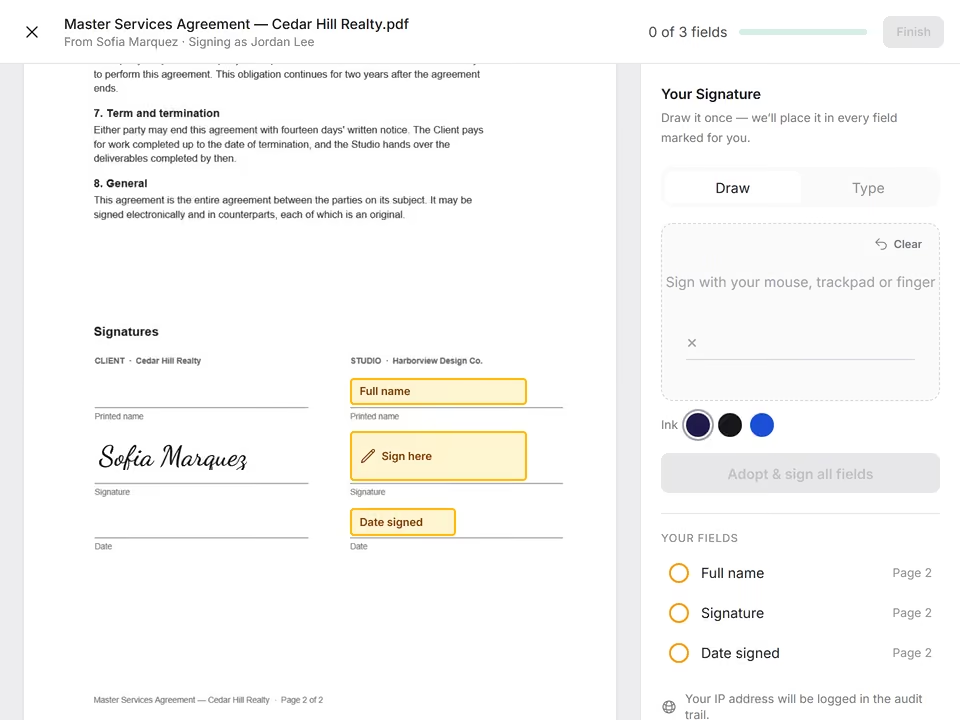
A private link by email
Each signer gets a single-use link. A link that has been used or replaced by a reminder stops working.
Draw or type
Signers draw their signature or type it in one of three handwriting styles and choose the ink color.
The real PDF, on any screen
Signers see the document's actual pages with the fields on top, on a phone or a computer.
Reminders
Send a reminder to everyone who hasn't signed yet with one click, and see who is still pending.
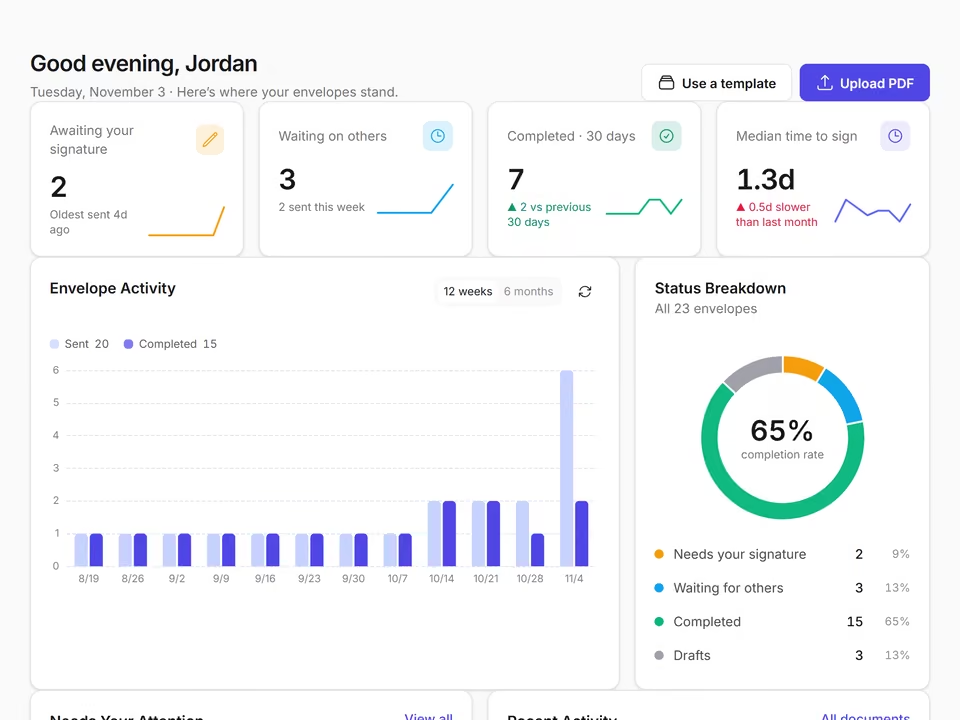
A dashboard
See what needs your signature, what's waiting on others, what was completed and how long signing takes.
Seal and prove
What proof do you get when a document is signed?
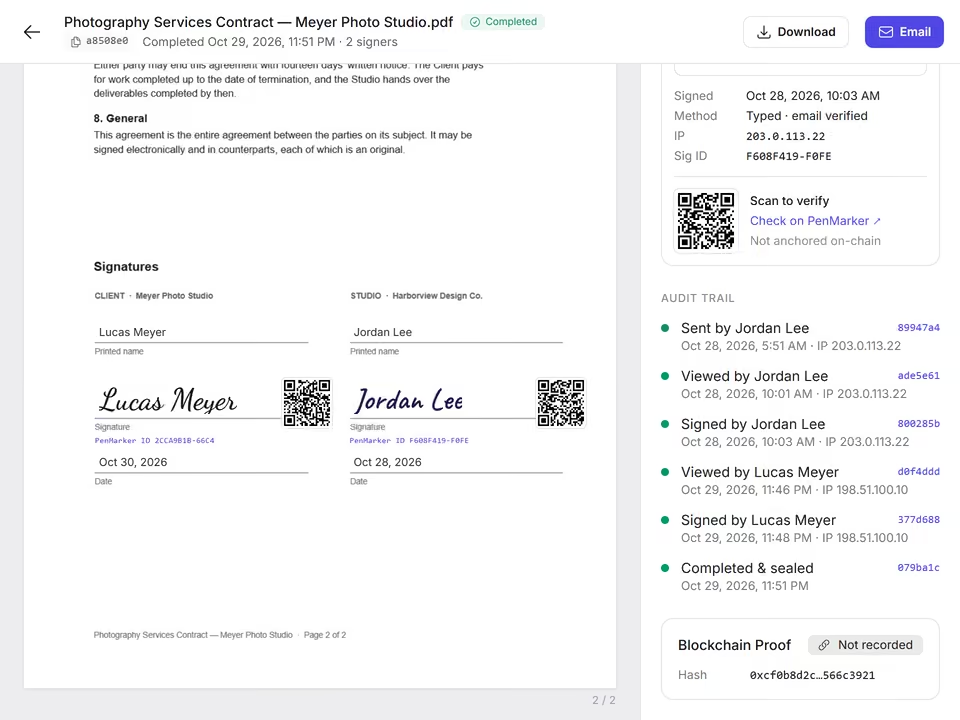
Every completed document is sealed. Proving it later takes a single file.
Automatic sealing
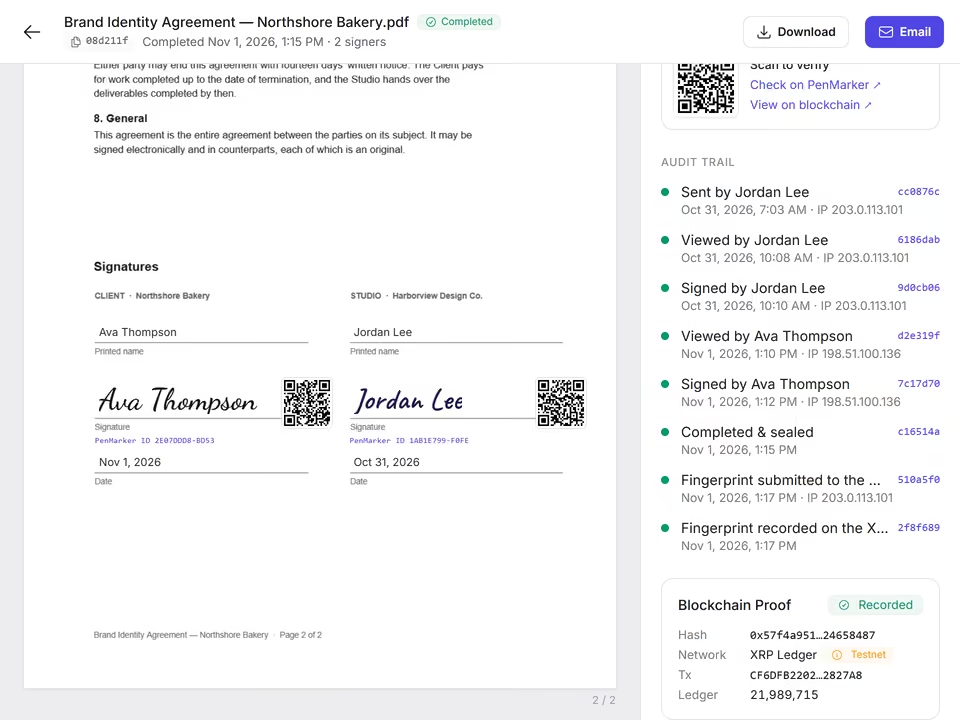
When the last person signs, the final PDF is sealed and its SHA-256 fingerprint is recorded.
Chained audit trail
Every event is logged with its time and IP address, and each entry's hash is chained to the one before it.
Certificate and QR check
Each signature gets an ID and a QR code that opens a public check page, showing no email addresses or IP addresses.
Verify a file
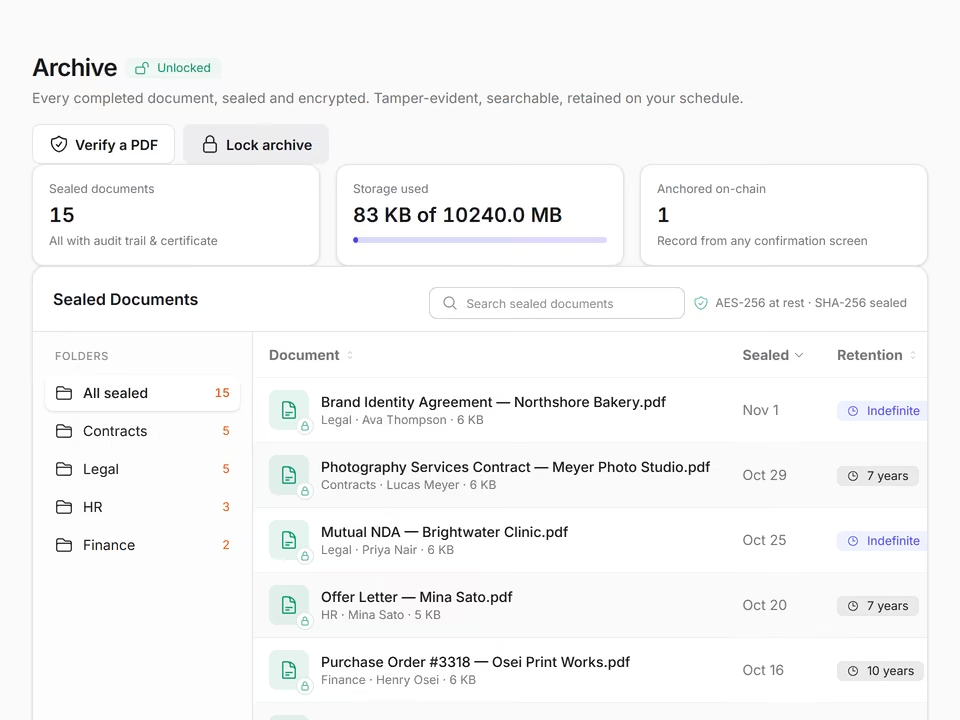
Drop a PDF into your archive to check it against PenMarker's records of sealed documents.
XRP Ledger record
Optionally record one hash per sealed document on the public XRP Ledger, usually confirmed within seconds.
Keep and protect
How are your signed documents kept safe?
Sealed documents and your account are protected by default.
A locked archive
Sealed documents in folders with retention labels, opened for 15 minutes with a code from your authenticator app.
Two-step verification
Sign in with a code from an authenticator app, a text message or an email.
Safe sessions
Sign-in tokens never sit in browser storage, and an idle session signs out automatically.
Frequently asked questions
Which file types can I send for signature?
PenMarker works with PDF files of up to 25 MB. Convert other documents to PDF before uploading them.
Can I set the order in which people sign?
Yes. Turn on signing order and each signer is asked only after the previous one has signed. Leave it off and everyone can sign at once.
How do I check that a signed PDF hasn't been changed?
Open your archive and choose Verify a file. PenMarker calculates the file's SHA-256 fingerprint and looks for it in its records of sealed documents. A changed file won't match.
What is written to the XRP Ledger?
Only one 64-character SHA-256 hash per sealed document, in a transaction from PenMarker's own wallet. The document, names and email addresses are never written to the ledger.
Send your first document for signature today
Create an account in a minute. Your signers never need one.